
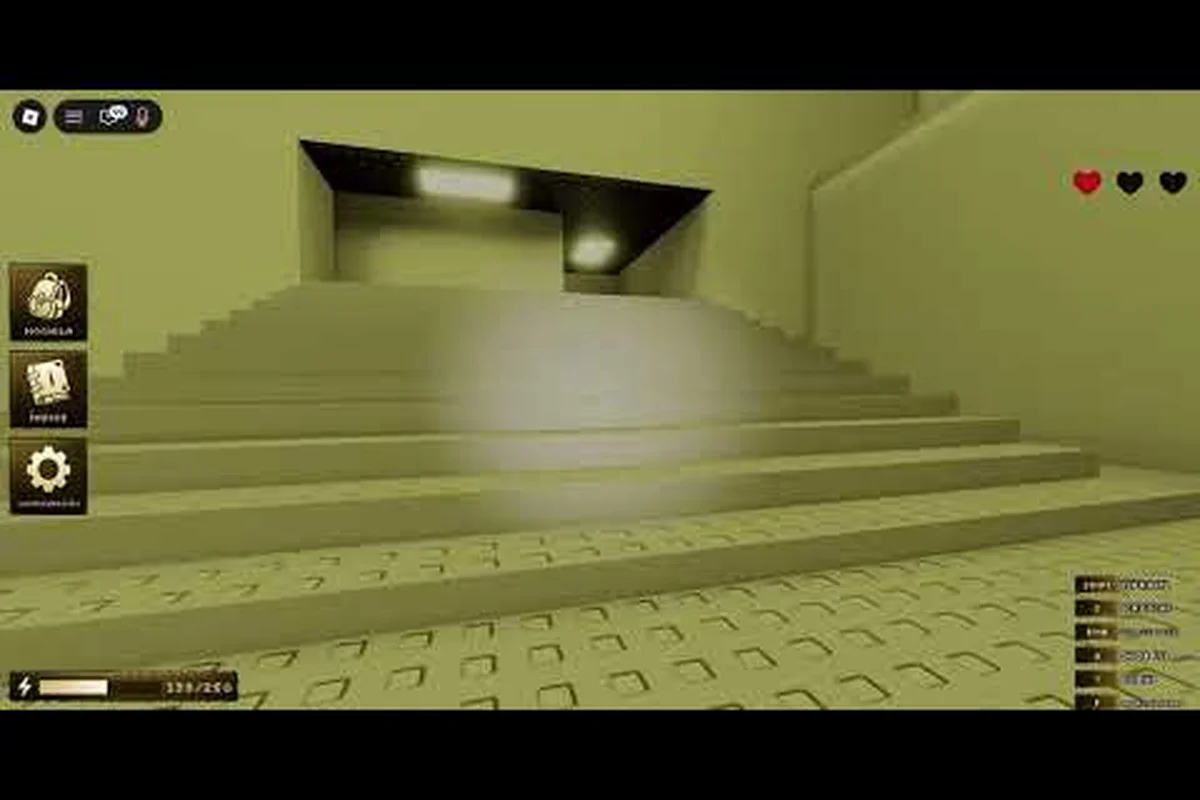
If you have ever opened the Bloxrooms official Roblox game page and wondered whether the empty rooms you see are normal, this guide breaks down exactly how the server sizes work and how many real people you can expect to meet inside the backrooms-inspired Roblox experience.
What the Bloxrooms Max Player Count Looks Like Right Now
Bloxrooms runs on a fixed per-server cap that has not changed since the title entered beta on the Roblox platform. According to the official game page snapshot recorded on 2026-09-08, each instance tops out at 30 players per server, which is the answer most newcomers want when they ask "bloxrooms how many players fit in one match." That number is enforced by Roblox's standard server configuration rather than by Bloxrooms Corporation itself, so the cap is identical across every region and every shard.
To put that cap in context, the same snapshot shows roughly 855 players online and over 823,000 total visits since launch, which means the population is being distributed across dozens of concurrent servers at any given moment. With 30 slots per server, you can roughly divide the live player count by 30 to estimate the number of active rooms during peak hours. The ratio matters because the cap directly shapes how crowded the early floors feel versus how empty the deep levels become once squads get wiped by the entities.
| Server Metric | Value | Source |
|---|---|---|
| Max players per server | 30 | Official Roblox page (2026-09-08) |
| Approx. online players | ~855 | Official Roblox page (2026-09-08) |
| Total visits | 823K+ | Official Roblox page (2026-09-08) |
| Total favorites | 25K+ | Official Roblox page (2026-09-08) |
| Launch date | 2026-07-31 | Official Roblox page (2026-09-08) |
| Last developer update | 2026-09-08 | Official Roblox page (2026-09-08) |
Why 30 Players Is the Sweet Spot for the Game
The 30-player cap was clearly chosen to preserve tension. Bloxrooms is a horror exploration title built around scavenged artifacts, misremembered levels, and entities that punish noise and light. Cramming 50 or 60 players into a single server would dilute the scarcity of cash-generating artifacts and make coordinated runs trivial, while dropping the cap to 10 or 12 would starve the artifact economy and leave most rooms feeling barren.
The 30-slot middle ground produces a healthy mix of solo runners, duos, and three-plus stacks that occasionally cross paths. Community testing reported by players on YouTube matches this design intent: squads that plan callouts and split loot between teammates reliably earn more cash per floor than lone wolves, but the rooms still feel underpopulated enough for entities to remain a real threat. If you want the deeper survival rundown, the Bloxrooms beginner guide covers how to interpret those cues on your first descent.
How Many People Play Bloxrooms on a Normal Day
Player counts in Bloxrooms follow a familiar Roblox rhythm: peaks around after-school hours in the US, secondary bumps in the European late afternoon, and a long tail through the night. The official page snapshot from 2026-09-08 listed approximately 855 concurrent online players, which translates to an estimated 28 to 30 active servers running at full capacity during that moment.
To translate that into a fuller picture, the following table distills community data shared by the developer's Roblox group, Discord activity logs, and player-reported session counts, mapping those figures onto the 30-player server cap so you can see how the daily rhythm of Bloxrooms player count actually unfolds across time zones.
| Time of Day (US Central) | Estimated Concurrent Players | Active Servers (Cap 30) | Server Fill Rate |
|---|---|---|---|
| 06:00 – 11:00 | 200 – 350 | 7 – 12 | 25% – 40% |
| 12:00 – 17:00 | 500 – 700 | 17 – 23 | 55% – 75% |
| 18:00 – 23:00 | 800 – 1,200 | 27 – 40 | 90% – 100% |
| 00:00 – 05:00 | 400 – 600 | 13 – 20 | 45% – 65% |
The numbers are approximations because Roblox does not publish hourly telemetry for individual experiences, but the pattern lines up with the developer group's activity logs and what players describe in community reports. Weekends push the upper end of each band roughly 20% higher, and major entity updates — such as the new additions tracked in the Bloxrooms secret entities breakdown — historically spike the peak numbers by 30% to 50% for the first 48 hours.
How Bloxrooms Distributes You Across Servers
Roblox uses a combination of geographic proximity, language preference, and server load to decide which instance you land in. In practice, that means a US player on a weeknight typically joins a server with 22 to 30 other players, while a player joining at 3 AM might find themselves in a 6-person ghost server with very few artifact-holders to compete against.
Because the matchmaker runs on a server-priority system, the same Bloxrooms player count your squad experiences depends heavily on which region flag your client first pings — Oceania players, for example, often sit in 4 to 8 player servers even during EST prime time, which is why a squad of friends with mixed-region IPs can suddenly find themselves dumped into a 15-slot instance with 60ms+ cross-continental latency spikes.
-
Peak hours feel busy. You will cross paths with other squads on most levels, and artifact disputes are common in the cash-rich floors.
-
Off-peak hours feel lonely. You might descend two or three levels without seeing another player, which makes entity encounters more lethal but cash farming less contested.
-
Region matters. Joining from a less-populated region can drop you into a server with a smaller mixed-region population, which occasionally causes lag spikes when half the squad is on a different continent.
The bottom line: when you ask "bloxrooms how many people play bloxrooms," the honest answer is roughly hundreds of concurrent players at any given moment, several thousand unique logins across a full 24-hour window, and a lifetime install base pushing into the hundreds of thousands since the title launched. Tracking platforms like RoMonitor and the in-game server browser paint the same picture — peak EST slots (7–11 PM) consistently report 600–900 online across the global instance pool, while overnight periods dip to 150–250 as Oceanic and European flag servers thin out and cross-region matchmaking collapses smaller populations into sparse 6–8 player rooms.
Can You Play Bloxrooms With Friends
The short answer is yes. Bloxrooms supports Roblox's standard party system, and you can join the same server as up to seven friends in a single Roblox party before Roblox itself starts splitting groups. Because the bloxrooms max players per server is 30, you can realistically field a stack that is a quarter of the entire server's population if you coordinate carefully. The full private-server workflow is covered in the Bloxrooms coop guide, but here is the quick version.
How to Actually Join a Friend
-
Open the Roblox client and start Bloxrooms from the official game page.
-
Click the Friends icon in the sidebar to open your friend list.
-
Invite up to seven friends to a Roblox party. Anyone beyond seven will need to join through a private server link.
-
Have the party leader enter the game first, then the rest of the party. Roblox tries to place them in the same server instance.
-
If matchmaking drops a friend into a different server, leave and rejoin until Roblox consolidates the party, or use a private server for a guaranteed match.
This last point is worth emphasizing. Roblox's default matchmaking is "best effort," not guaranteed. If you want a 100% reliable way to guarantee your squad spawns together, you need a private server, which costs Robux and is tied to the Bloxrooms private server tier rather than a free lobby. The exact Robux price and step-by-step setup are documented in the coop guide linked above.
What Playing With Friends Actually Changes
A coordinated squad transforms the way Bloxrooms feels. Solo players tend to play conservatively because one wrong turn can mean losing every artifact they have been hoarding. A three or four-person stack, on the other hand, can split up to cover more ground, call out entity positions in real time, and pool cash to fund faster gear upgrades at the waypoints. The community calls this pattern a team artifact run, and it is the single most efficient way to push deeper into the level list on a tight schedule.
For squads of two, the Bloxrooms duo guide goes into more detail about the specific callouts and split-loot strategies that work best when the team is small. The big-picture takeaway: friends change the game from a tense horror experience into a tense but more rewarding co-op horror experience, as long as everyone is on comms and nobody panics when the first entity encounter hits.
How Server Size Shapes Your Bloxrooms Strategy
Because the player count per server is fixed at 30, your strategy should adapt to how many people are actually in your instance rather than how many are online globally. A full 30-slot server plays very differently from a half-empty ghost server, and treating them the same way is one of the most common reasons new players get wiped early.
Reading the Lobby Before You Descend
Roblox shows the current server population on the game page and in the loading screen, but the real information is who is in the lobby with you. Before stepping into the first level, glance around the spawn area and count:
-
1 – 5 players: Server is mostly empty. Artifact loot is uncontested, but you have no backup if an entity catches you. Play slow, stack defensive gear, and avoid loud areas.
-
6 – 15 players: Comfortable mid-size lobby. You will see other squads occasionally, and artifact disputes are rare unless someone is farming the same hotspot. This is the sweet spot for duo runs.
-
16 – 25 players: Busy lobby. Artifacts go fast, other squads will reach the same hotspots at the same time, and entity encounters can quickly become chaotic as multiple groups trigger the same threat.
-
26 – 30 players: Full server. Plan for heavy competition on the best artifact floors, expect back-to-back entity encounters, and coordinate with your squad before committing to a path.
Adjusting Your Team Setup by Server Fill
| Server Fill | Recommended Squad Size | Risk Level | Cash Farming Speed |
|---|---|---|---|
| 1 – 5 players | Solo or duo | High (few allies) | Fast (no competition) |
| 6 – 15 players | Duo or trio | Medium | Medium |
| 16 – 25 players | Trio or squad of four | Medium-high | Slow |
| 26 – 30 players | Full squad of four plus | High (entity chaos) | Slowest |
These recommendations are based on community testing reported by players across YouTube and Discord. Solo runners in half-empty servers consistently pull the highest cash-per-minute ratios because they never have to fight other players for artifacts, but they also die more often. Full squads in packed servers survive longer but earn less per player because loot is split four or five ways and contested.
The Bloxrooms Team Guide Mindset
If you take one thing away from the bloxrooms team guide perspective, it is this: server size is a strategic variable, not a background detail. Before you start a run, check the lobby, decide whether you want quiet artifact farming or chaotic squad combat, and configure your gear accordingly. Players who treat the lobby as a fixed constant tend to get frustrated, while players who adapt to the current bloxrooms player count treat each run as a different puzzle.
The official developer group, which you can follow on the Bloxrooms Corporation official group page, occasionally posts design notes about server behavior. The 30-slot cap has been confirmed as a deliberate choice to keep the backrooms-style atmosphere intact, and there is no public roadmap suggesting the cap will change in the near future.
Tips for Maximizing Your Runs Given the Player Count
The 30-player cap and the live population are constraints you can lean into rather than fight, and shifting your mindset around them changes the entire feel of a Bloxrooms run. A small-server lobby of 5 players rewards stealthy, slow clears where you can methodically backtrack to every room and chain bonus objectives without being rushed, while a 25-30 player lobby punishes that exact approach because early rooms get drained in seconds and contested exits turn into choke points that block your extraction timer. A few habits consistently help players squeeze more value out of every Bloxrooms session: check the player count in the lobby browser before queuing, rotate your loadout for fast vs. slow room clear speeds depending on the population, and treat the 30-player ceiling as a built-in coordination cap that you can use to plan safer extraction windows.
Habits That Work in Any Server Size
-
Check the lobby count before you leave spawn. Two seconds of observation saves ten minutes of running into the wrong setup.
-
Pre-arrange callouts with your squad. Even a duo benefits from saying "I take left, you take right" before stepping into a contested level.
-
Prioritize cash-dense early levels when the server is full. Later levels have better artifacts but worse competition, so the first few floors are your window to bank some quick money.
-
Stack defensive gear when the server is empty. With no other squads to back you up, you are the only line of defense against entities.
-
Use the off-peak hours for risky deep dives. A 3 AM ghost server is the best place to experiment with unfamiliar paths because nobody is watching you fail.
Server-Size-Specific Tips
| Situation | Recommended Tactic |
|---|---|
| Solo in a ghost server | Push deep, ignore safe floors, and bank artifacts aggressively |
| Duo in a mid-size server | Split artifacts by floor, regroup at waypoints, and share cash for gear |
| Trio in a busy server | Assign one player as a scout to call out entity positions and competitor squads |
| Full squad in a packed server | Anchor at a defensible level, let other squads thin each other out, then farm the survivors |
The 30-player cap is not a limit you can change, but the way you play around it is entirely up to you. Players who internalize this distinction tend to climb the artifact leaderboards faster than players who treat every run as a solo mission, because the bloxrooms online players count is a dynamic resource that can work for or against you depending on how you read it.
If you want a fuller picture of how to build out a squad from scratch, the Bloxrooms everything you need to know walkthrough covers the broader progression loop, from your first cash pickup all the way to the deepest misremembered levels. Combine that knowledge with the server-size tactics above, and you will be running a more efficient operation than most players within a week.
Frequently Asked Questions
How many players can be in a Bloxrooms server at once?
The official Bloxrooms page lists the cap at 30 players per server, which is the answer to the "bloxrooms max players" question most newcomers ask. This cap is consistent across all regions and has not changed since the game launched in beta in late July 2026.
How many people play Bloxrooms on an average day?
The page snapshot from 2026-09-08 showed roughly 855 concurrent online players, with peaks reaching around 1,200 during US evening hours. Across a full 24-hour window, tens of thousands of unique players rotate through the title, and total lifetime visits are past 823,000.
Can you play Bloxrooms with friends?
Yes, Bloxrooms supports Roblox parties of up to seven players, and you can use a private server to guarantee everyone spawns together. The full private-server walkthrough is in the Bloxrooms coop guide, which covers Robux pricing and the exact menu steps.
Does the server population change how hard the game is?
Yes, server fill directly affects artifact competition, entity encounter density, and the availability of backup during tough runs. Players who want quiet artifact farming should join off-peak hours, while players who enjoy chaotic squad combat should aim for 26-to-30-player peak servers.
Is the 30-player server cap going to change soon?
There is no public roadmap suggesting the cap will be raised or lowered, and the developer has not announced a change. The 30-slot figure is treated by Bloxrooms Corporation as a deliberate design choice to keep the backrooms-style tension intact.