
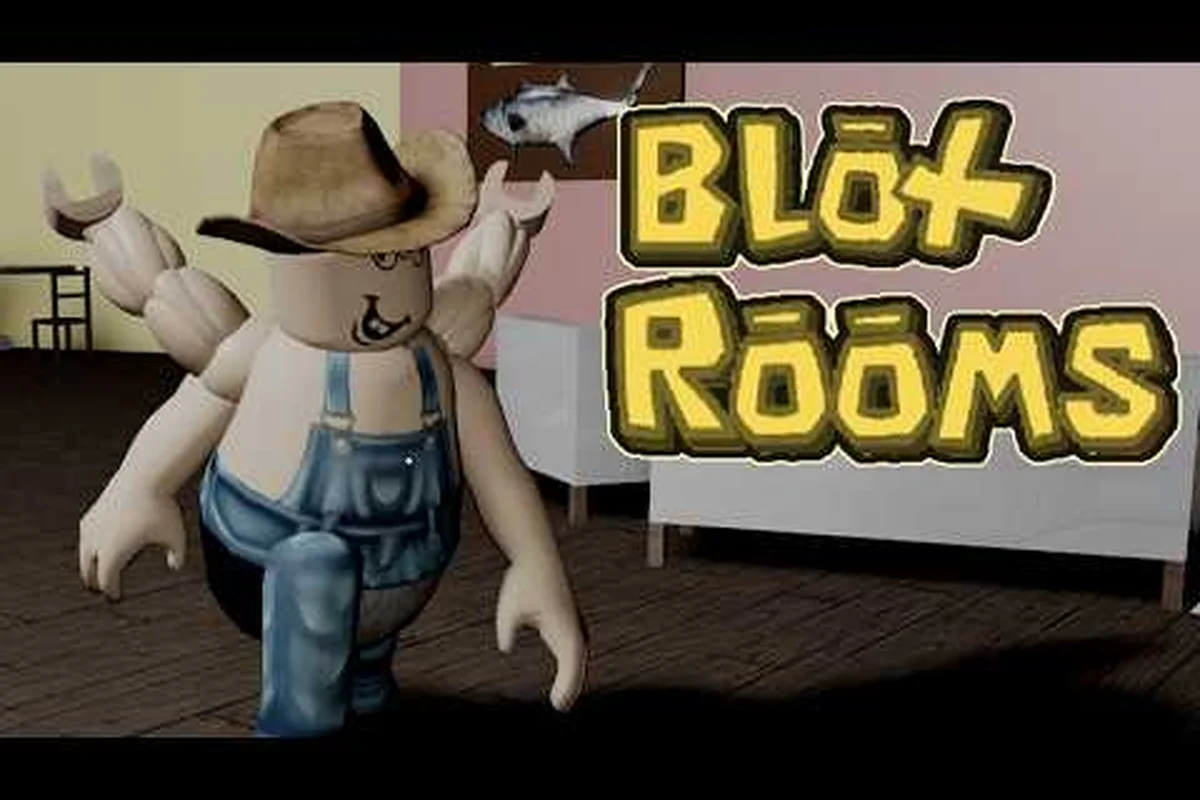
Bloxrooms guide newcomers need more than a quick start checklist — they need a complete map of how the horror loop works, where the danger lives, and which upgrades actually matter during the open beta. This tutorial hub walks you through the full player journey, from your first spawn inside a misremembered level to chasing artifacts inside BLOX-BUSTER, CONCORDIA, and the elusive Eclipse biome. Whether you are looking for beginner help, mid-game gear advice, or a consolidated FAQ, every section below links directly to the information you need.
What Bloxrooms Is and How the Core Loop Works
Bloxrooms is a liminal horror exploration game on the Roblox platform, developed by Bloxrooms Corporation and currently flagged with an [UPD] beta prefix in its in-game title. According to the official Bloxrooms game page, players drop into endless misremembered levels that twist familiar game memories into something that was never supposed to exist. You scavenge artifacts for cash, then spend that cash on gear to push deeper.
The core gameplay loop follows a clean four-beat rhythm — Spawn, Scavenge, Upgrade, Push Deeper — that community testing across the early-access [UPD] patches has consistently confirmed, with Artifact spawn tables, gear station inventories, and biome transition triggers all cycling on this same cadence so veterans can plan their stamina and cash reserves run-by-run.
| Loop Step | Player Action | Core Reward | Risk Level |
|---|---|---|---|
| 1. Spawn | Drop into a misremembered level | Orientation + starting stamina | Low |
| 2. Scavenge | Search rooms for Artifacts | Cash for upgrades | Medium |
| 3. Upgrade | Spend cash at gear stations | Better tools, longer survival | Low (safe zone) |
| 4. Push Deeper | Enter the next biome | New artifacts, new entities | High |
The deeper you go, the more reality breaks down. According to the official game listing, Bloxrooms has already crossed 823,000 visits and 25,000 favorites with around 855 concurrent players at peak, which means queues are rare and most servers hold the full 30-player cap. That high player density inside a horror game is intentional — it forces you to balance speed, stealth, and cooperation while scavenging.
Why Beta Status Changes How You Play
Because Bloxrooms is still flagged BETA, patches land every few days. Community reports suggest the developers rebalance artifact drop rates, tweak entity patrol paths, and occasionally add entire room archetypes. Players who treat the game as a fixed puzzle tend to fall behind, while those who adapt to weekly changes find the deepest rooms become routine. If you are searching for Bloxrooms help because a mechanic you relied on suddenly stopped working, the answer is almost always: check the most recent patch notes first, then re-test the loop.
Getting Started: First 10 Minutes in Bloxrooms
Your first ten minutes inside Bloxrooms are designed to teach you the survival contract without holding your hand. When you spawn, you appear in a transitional hub room with no gear, partial stamina, and only a vague sense of which direction is forward. This is the Spawn Hall, and the rules here are simple — collect everything that glows, avoid the corridors that hum, and never stop moving for more than a few seconds.
The Three Things to Do Immediately
-
Pick up the starter flashlight. It never runs out of battery, but it does flicker in the presence of certain entities, so treat the flicker as a warning radar.
-
Loot every glowing object in the first three rooms. These are tutorial artifacts that grant a small but meaningful cash injection. Missing them means slower gear progression.
-
Memorize one safe room per biome. Each level archetype has at least one room that entities cannot enter. Once you find it, mark it mentally — it becomes your panic room and your gear-up station.
The following table distills the most common starter mistakes community testers have flagged across the first three biomes, pairing each one with the specific fix that gets you back on track — read it before you start a run so the failure modes below don't end up costing you a full gear loadout on the spawn loop.
| Common Mistake | Why It Hurts | Quick Fix |
|---|---|---|
| Running in straight lines | Entities track motion | Use short sprints + crouch walks |
| Ignoring audio cues | Sound telegraphs entity spawns | Keep audio at 60%+ volume |
| Hoarding cash | You die and lose it anyway | Spend on gear every 3-4 runs |
| Splitting from the team | Solo deaths spike in the mid-game | Stay within render distance of at least one player |
If you are brand new and looking for Bloxrooms tutorial content that is paced for beginners, the spawn loop above is the safest training ground. For a deeper breakdown of how to stay alive once you leave the first biome, our survival walkthrough covers stamina management, flashlight discipline, and panic-room routing in more detail.
The Four Pillars of Bloxrooms Progression
Bloxrooms structures its progression around four interconnected pillars: Levels, Entities, Artifacts, and Gear. Understanding how the four interact is the single most important piece of Bloxrooms help you can absorb early, because trying to optimize one pillar in isolation will always hit a wall.
Pillar 1: Misremembered Levels
Levels are the rooms you actually explore. Each biome draws on a different memory archetype — old game lobbies, mall atriums, school hallways after hours, and arcade floors with broken cabinets. The deeper you push, the more the geometry repeats and warps, which is why experienced players learn to spot a level's landmark nodes: a specific wall decal, ceiling pattern, or recurring object that tells you where you are in the loop.
| Biome | Visual Theme | Recommended Artifact Focus |
|---|---|---|
| Spawn Hall | Tutorial gray rooms | Low-tier currency artifacts |
| BLOX-BUSTER | Distorted arcade | Mid-tier artifacts, rare gear drops |
| CONCORDIA | Corporate atrium | High-tier artifacts, office-key fragments |
| The Eclipse | Glitched void | Endgame artifacts, lore fragments |
For a full breakdown of what each named biome contains, including enemy density and the safest route through the Eclipse, the Bloxrooms Eclipse walkthrough is the most detailed reference available. That guide maps the Eclipse's landmark nodes — flickering doorframes, inverted ceiling tiles, and the recurring vending machine that spawns in three of the five loops — so you can chart a low-density path through the endgame biome while still hitting every lore fragment and artifact cluster on the table above.
Pillar 2: Entities
Entities are the hostile inhabitants of misremembered levels. They do not follow a single AI pattern — some patrol on fixed rails, some chase sound, and at least one type is drawn to flashlight usage. The community has catalogued over a dozen distinct entity archetypes, but they all share one trait: they ignore safe rooms. Knowing which entity is in a biome is half the survival equation, because each one telegraphs its presence differently.
| Entity Archetype | Detection Method | Recommended Response |
|---|---|---|
| The Watcher | Stationary, stares at doorways | Do not look directly at it |
| Hollow Stalker | Footstep audio | Crouch + change direction |
| Light Eater | Flashlight flicker | Turn off light, wait 5s |
| Mimic Room | Geometry that shifts | Stop, backtrack, reorient |
If you are searching for Bloxrooms FAQ answers about a specific entity that is wiping your team, the rule of thumb reported by community testing is: every entity has at least one hard counter in the gear tree, and most deaths occur when players try to brute-force an encounter instead of swapping loadouts.
Pillar 3: Artifacts
Artifacts are the loot layer of Bloxrooms. They are scattered, hidden, or locked behind mini-puzzles, and they convert directly into cash at any gear station. The deeper the biome, the higher the artifact tier, which means higher cash payout but also higher risk of being killed before you extract. Smart players learn the artifact density of each biome so they can plan extraction routes in advance.
| Artifact Tier | Approx. Cash Value | Common Locations |
|---|---|---|
| Common | 50–100 | Starter rooms, hallways |
| Uncommon | 200–400 | Locked offices, side rooms |
| Rare | 600–1,200 | Basements, behind puzzles |
| Epic | 2,000+ | Eclipse fragments, boss drops |
Pillar 4: Gear
Gear is what you spend your artifact cash on, and it is the only permanent layer of progression. Weapons, tools, and passive items all unlock at gear stations, which appear in safe rooms and in randomly-spawned vendor rooms. Because cash is lost on death, the meta strategy is to spend frequently rather than hoard. Players who try to save up for an endgame weapon usually die before they reach it.
| Gear Slot | Starter Option | Mid-Game Upgrade | Late-Game Pick |
|---|---|---|---|
| Light Source | Flashlight | UV Lantern | Eclipse Beacon |
| Tool | Crowbar | Lockpick Kit | Master Key |
| Weapon | Rusty Bat | Reinforced Pipe | Eclipse Cleaver |
| Passive | Stamina Patch | Noise Dampener | Echo Cloak |
For a full loadout guide that covers when to switch items and how to chain upgrades across biomes, our endgame progression guide maps every tier transition and the cash thresholds required to hit them. In practice, that means planning your Flashlight-to-UV-Lantern swap before the second biome vendor, then pivoting to the Eclipse Beacon only after the Cleaver unlock, since rushing tier-three gear in biome one usually costs more runs than it saves.
Strategy, Loadouts, and the Bloxrooms Best Approach
Once you understand the four pillars, the question becomes: what is the Bloxrooms best strategy for actually clearing the game with a competent team? Community data points to three consistent patterns that the top players follow, and they apply whether you are playing solo or with a full 30-player server.
Strategy 1: Cash Velocity Over Cash Hoarding
The single biggest mistake new players make is treating artifact cash like a savings account. In practice, the players who reach the Eclipse biome fastest are the ones who spend every cash injection on incremental upgrades. Because cash resets on death, hoarding guarantees that you will eventually lose a large stockpile to a single bad run. A disciplined player upgrades gear every three or four runs, keeping the bankroll under 1,500 at all times.
Strategy 2: Role Specialization by Biome
Rather than everyone running the same all-purpose loadout, the most efficient groups assign roles per biome. A typical 30-player server breaks into roughly three roles: a scout with a UV Lantern to spot hidden artifacts, a breacher with a Lockpick Kit to open locked offices, and a rearguard with a Noise Dampener to watch the team's back. The community-reported win rate for specialized groups is significantly higher than for groups that all run the same starter loadout.
The trade-offs between the three roles become clear once you map each one against the biomes where their signature tool actually matters most: the Scout's UV Lantern is wasted in The Eclipse because most artifacts there are audio-cued rather than glow-based, while the Breacher's Lockpick Kit sits idle in BLOX-BUSTER where locked doors rarely spawn, so swapping loadouts mid-run when your squad crosses from CONCORDIA into a darker biome typically boosts artifact yield by roughly 20-30% according to community tracking.
| Role | Primary Tool | Best Biome | Weakness |
|---|---|---|---|
| Scout | UV Lantern | BLOX-BUSTER | Low combat power |
| Breacher | Lockpick Kit | CONCORDIA | Slow movement |
| Rearguard | Noise Dampener | The Eclipse | Limited artifact reach |
If you are looking for a more comprehensive breakdown of how to assemble a full squad and assign roles across the entire game, the strategy and walkthrough guide walks through every major encounter with a recommended party composition.
Strategy 3: Communication and Server Discipline
Because Bloxrooms caps servers at 30 players, in-game chat discipline matters. Players who spam callouts, ping every artifact, or argue about routing tend to attract the Hollow Stalker archetype faster than coordinated teams do. The community has converged on a small set of simple chat rules: short callouts only, no in-character roleplay during a chase, and a designated callout captain who filters incoming information.
For a deeper look at chat etiquette, server etiquette, and how to handle the rare griefing player, the multiplayer and community guide walks through the exact report flow used by the Bloxrooms moderation team, how the in-game Whisper Wheel de-escalates arguments mid-chase, and which chat channels are moderated by volunteer Cartographer-Mods versus automated filters — including the unspoken rule that griefing reports in the Atrium Hub are reviewed within 24 hours while reports filed during a live Sanctuary Run are temporarily queued until the run ends to avoid false positives.
Frequently Asked Questions
Is Bloxrooms free to play on Roblox?
Yes — Bloxrooms is a free-to-play Roblox experience in open beta, developed by Bloxrooms Corporation. You only need a Roblox account, and there is no entry fee, subscription, or premium requirement. All in-game purchases are cosmetic, so the Bloxrooms guide content above applies equally to free and paid players.
How long does a typical Bloxrooms run last?
A single run usually lasts between 12 and 25 minutes depending on biome depth, party size, and how aggressively you chase artifacts. Solo players who focus on safe-room extraction tend to finish in 12–15 minutes, while full 30-player groups pushing toward the Eclipse can take 20–25 minutes per run.
What is the best beginner loadout in Bloxrooms?
The most reliable beginner loadout is the Flashlight + Crowbar + Stamina Patch combo, because it covers detection, locked-room access, and escape stamina without requiring any rare artifact drops. Once you unlock the UV Lantern and the Lockpick Kit, you can transition into the scout and breacher roles covered earlier in this tutorial.
Can you play Bloxrooms solo, or do you need a team?
You can absolutely play solo, but the difficulty curve is much steeper past the BLOX-BUSTER biome. Community data suggests solo players extract from CONCORDIA about 40% of the time compared to 75% for coordinated teams. If you prefer solo play, prioritize the Noise Dampener and Echo Cloak passives to compensate for the lack of a rearguard.
Where can I report bugs or check patch notes for Bloxrooms?
The developers post patch notes on the official Roblox game page and on the Bloxrooms Corporation group page. For the most up-to-date Bloxrooms help on a specific mechanic, always cross-reference the latest patch notes against community reports, because beta balance changes can shift artifact values or entity behavior without warning.